

















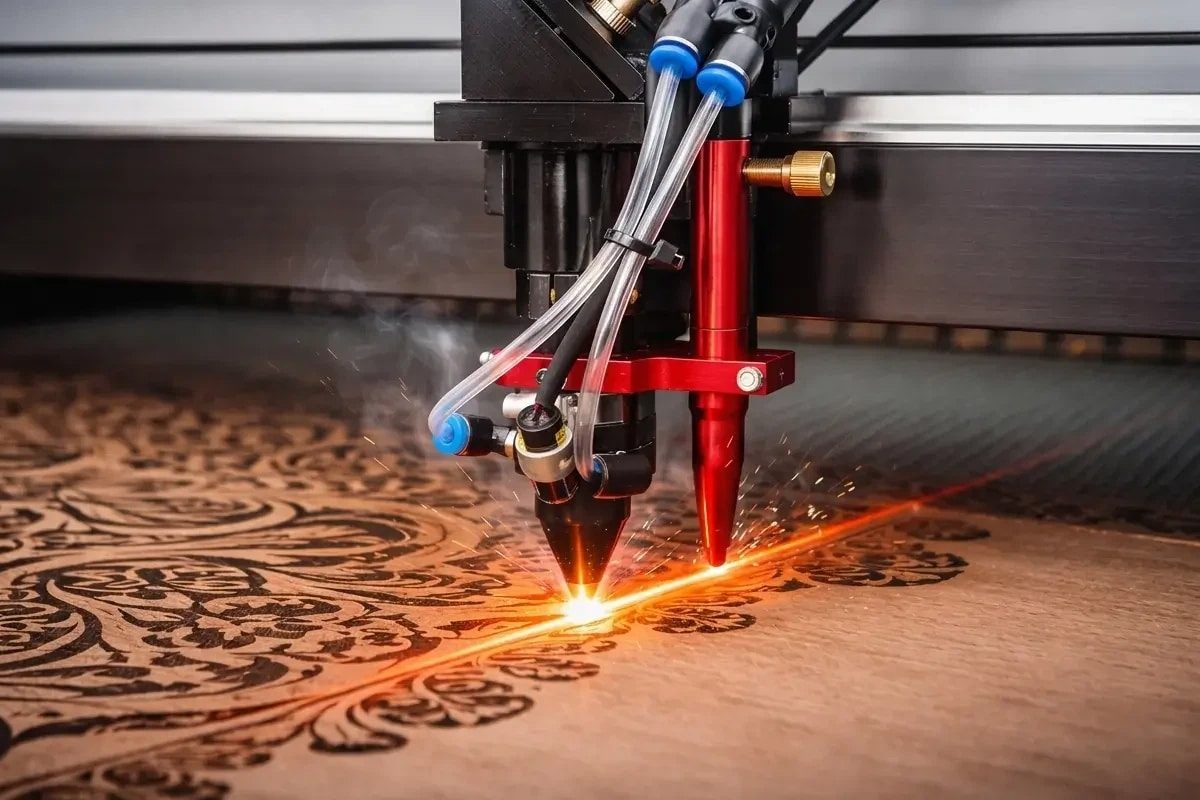
Schneidet Ihr CO2-Laser nicht? 5 häufige Ursachen und schnelle Lösungen
One of the most frustrating moments in metalworking or laser cutting operations is preparing for the day’s first cut, only to discover a sudden drop in laser power—or finding that the machine can no longer cut through material it handled with ease just yesterday. The initial reaction is often panic: assuming the machine is broken, an expensive component has failed, or a costly service call is required. However, before reaching out for external technical support, it is worth noting that most instances of sudden power loss stem from five common, user-fixable issues.
Every Laser-Schneide-Maschine is a precision-coordinated system relying on the accurate alignment of optical components, pristine lens and mirror surfaces, a properly functioning cooling system, and correct laser generator settings. If any of these elements deviate from specifications, the machine may appear unable to cut—even though the equipment itself is operating exactly as designed. Distinguishing between genuine mechanical failure and fixable issues is crucial; learning to identify and troubleshoot these common problems can prevent hours of downtime and save thousands of dollars in unnecessary repair costs.
AccTek’s after-sales technical support team handles troubleshooting cases from laser operators worldwide on a weekly basis. These cases reveal a consistent and revealing pattern: the vast majority of “sudden power loss” issues are caused by the five problems mentioned above, all of which can be easily resolved through systematic troubleshooting—requiring only basic tools and a few minutes of careful work by the operator. This article distills these real-world insights into a practical troubleshooting guide, organized from simplest to most complex: starting with quick, easy checks and progressing to detailed diagnostics until the problem is resolved—or, if professional intervention is truly necessary, until you can provide technicians with clear, accurate information about the issue.
Our goal is not to turn you into a laser engineer, but to provide a diagnostic framework and practical workflow that helps you distinguish between genuine equipment failure and fixable issues. This empowers you to resolve fixable problems immediately on your own, eliminating the need to wait for repair services or pay expensive external technical support fees.
Inhaltsverzeichnis
When Your Laser Suddenly Loses Power
Before diving into systematic troubleshooting, it is useful to clarify what “the laser won’t cut” actually means in technical terms, because the diagnosis and solution depend critically on what specific symptom you are observing.
What "The Laser Won't Cut" Actually Means
The phrase “the laser won’t cut” is ambiguous and covers several distinct failure modes. In some cases, the laser generator produces visible output — you can see a red glow at the focal point or see the material lighting up when the beam is active — but the material does not cut, or cuts poorly and incompletely. In other cases, the laser generator produces no visible output at all, and the cut is absent. In still other cases, the machine begins a cut normally, but the cut degrades in quality or depth as the job progresses, suggesting a degradation in output power rather than a total failure.
Each of these scenarios points toward different root causes. A machine that produces visible laser output but no material removal points toward optical misalignment or incorrect cutting parameters. A machine that produces no visible output at all suggests a laser generator problem, a cooling system failure causing automatic shutdown, or a connection issue. Understanding which symptom you are observing narrows the diagnostic path significantly.
Why Most Problems Are Fixable in Minutes
The vast majority of sudden laser cutting power loss cases result from problems that are straightforward to identify and fix: a mirror that has shifted slightly in its mount, a protective lens that has accumulated acrylic tar or oxidized coating, assist gas flow that has been interrupted, or cooling water that has reached the temperature setpoint and triggered an automatic shutdown. All of these problems are identifiable through simple tests, and all are correctable through procedures that require only basic tools and 5 to 30 minutes of careful work.
Understanding this reality is psychologically important: the first response to apparent laser failure should be systematic troubleshooting, not panic or resignation to a long service wait. “The laser won’t cut” encompasses several distinct failure modes, each pointing toward different root causes. The majority of these cases are user-repairable problems that are identifiable through systematic diagnostic procedures and correctable through hands-on troubleshooting. Understanding what specific symptom you are observing is the critical first step toward identifying the underlying problem.
The Systematic Troubleshooting Approach: How to Identify the Root Cause
Rather than attempting random corrective actions in hopes that one will work, a systematic approach to diagnosis is far more efficient and more likely to reach the correct solution. This section establishes the diagnostic framework that guides the rest of the troubleshooting process.
The Diagnostic Logic
The diagnostic approach used by experienced laser service technicians works from the most likely causes toward the least likely, and from the simplest checks toward the most complex ones. By following this hierarchy, the technician (or operator performing self-troubleshooting) can identify and resolve the majority of cases without requiring specialized equipment or deep technical knowledge. The hierarchy is as follows: optical alignment and cleanliness problems account for approximately 40 to 50 percent of sudden power loss cases; cooling system issues account for approximately 20 to 25 percent; laser generator aging or tube failure accounts for approximately 15 to 20 percent; assist gas flow problems account for approximately 5 to 10 percent; and misconfigured parameters account for the remaining fraction. By checking these categories in order, a methodical troubleshooter can identify the root cause of approximately 90 percent of problems within the first 10 to 20 minutes.
A systematic approach to troubleshooting, prioritized by frequency of occurrence and complexity of diagnosis, is far more efficient than random experimentation. By checking the most likely causes first and working through progressively less common problems in a logical order, most laser cutting machine power loss issues can be identified and resolved quickly.
Mirror Misalignment
Mirrors and lenses that guide the laser generator beam are precision optical components mounted on a laser cutting machine such that they form a perfect optical path from the laser generator output to the focal point on the workpiece. Any shift in mirror position — even a shift of a fraction of a millimeter — can misalign the beam enough to cause significant loss of cutting effectiveness. Mirror misalignment is the single most common cause of sudden power loss in field-operated laser cutting machines and is entirely correctable through realignment.
How Mirrors Guide the Beam and Why Alignment Matters
A typical CO2-Laserschneidmaschine incorporates three or four mirrors that redirect the laser generator beam from the laser head downward to the focused cutting head. These mirrors are precisely positioned, and their angles are critical: even a shift of 0.5mm in mirror position can deflect the beam enough that it misses the focusing lens partially, reducing effective power at the focal point by 30 to 50 percent or more. The result is a beam that still produces visible output but lacks the power density needed to cut through material effectively.
Symptoms of Misaligned Mirrors
A misaligned laser cutting machine typically exhibits one or more of these symptoms: the visible red beam at the focal point appears to be off-center relative to the nozzle, asymmetrical in appearance, or dimmer than usual; the cut performance is inconsistent across the working area, with some regions cutting well and others poorly; the laser appears to cut at one side of the focal area but not the other; or test marks show a visible laser output but no cutting action.
How to Check Mirror Alignment
The practical test for mirror alignment is the beam alignment check performed by most laser cutting machine operators. This test uses a piece of masking tape or white marking material placed on the cutting head and a controlled firing of the laser generator at very low power to mark the tape with the beam position. By performing this mark at multiple points across the laser cutting machine’s working area — and by comparing the mark position to the expected centerline of the focal area — misalignment becomes immediately visible. Marks that are consistently off-center, or that shift position as the cutting head moves across the work area, indicate mirror misalignment that requires correction.
How to Realign Mirrors
Mirror realignment is a procedure that most laser cutting machine manufacturers document in their service manuals, and the procedure is straightforward, though requiring care and precision. The general approach is to identify which mirror is misaligned by comparing beam marks at different positions, then carefully loosen the mirror mount and make small adjustments using the adjustment screws (typically three screws per mirror, each allowing a few degrees of tilt) until the beam mark returns to the centerline position. The procedure requires only basic tools — typically an Allen wrench set and the masking tape or marking material used for the alignment test — and takes 10 to 30 minutes for an operator who has not performed it before.
When Professional Help Is Required
If the mirror appears to be damaged — cracked, visibly scarred, or severely contaminated — professional replacement is necessary. If the mirror mount itself appears bent or damaged, or if adjustment screws do not tighten properly, the mechanical support may require professional service. But for mirrors that are simply shifted out of alignment, user realignment is safe, effective, and far faster than waiting for service.
Mirror misalignment is the most common cause of sudden laser cutting power loss and is entirely user-correctable through a simple beam marking test followed by careful adjustment of the mirror mount screws. Recognizing the symptoms of misalignment and performing the alignment check are the critical first steps in troubleshooting any sudden power loss incident.
Dirty or Contaminated Optics
Even more common than misalignment in facilities that cut acrylic, MDF, and other materials that generate significant smoke and cutting residue is the contamination of optical surfaces — particularly the protective window at the exit of the laser cutting head and the focusing lens. A thin layer of acrylic tar, oxidized coating, or dust on these surfaces absorbs laser generator energy rather than transmitting it, resulting in dramatic power loss even though the beam is aligned perfectly.
How Cutting Byproducts Contaminate Optics
Acryl cutting generates a visible stream of vaporized material that exits the cutting head and disperses into the machine interior. A fraction of this vapor condenses on optical surfaces as an amber-colored tar-like coating. MDF and similar engineered Holz products generate fine dust that can settle on optics. Kohlenstoffstahl cutting with oxygen assist gas can generate metal oxide particles that form a thin coating on optical surfaces. Over time, these layers accumulate and absorb enough laser generator energy to reduce cutting performance significantly.
The Protective Window vs. The Focusing Lens
The protective window is a thin optical element at the exit of the laser cutting head, designed specifically to be sacrificial — to absorb contamination and protect the more expensive focusing lens below it. This window is replaceable, inexpensive (typically $20 to $80 depending on laser cutting machine model), and should be replaced on a regular maintenance schedule or whenever visible contamination is evident. The focusing lens is the final element in the optical path, located in the nozzle assembly just above the workpiece, and is more expensive to replace ($150 to $400). Both elements can become contaminated, and both will cause power loss if dirty.
How to Clean Optics Safely
For the protective window, the procedure is straightforward: remove the cutting head from the laser cutting machine (most mounts use quick-release mechanisms), locate the protective window (typically a removable element from the head assembly), and clean it using optical-grade lens cleaning materials — typically a specialized lens cleaning solution and lens tissue. For acrylic tar, warm water with mild detergent or a specialized solvent may be required. The focusing lens, located in the nozzle assembly, can be carefully cleaned using the same approach, though some operators prefer to replace rather than clean this component, given its cost and the risk of scratching during cleaning.
When Cleaning Won't Help
If the optical surface is scratched, pitted, or fractured, cleaning will not restore its function, and the element must be replaced. Most optical contamination, however, is removable through careful cleaning, and cleaning is always worth attempting before purchasing replacement components.
Vorbeugende Wartung
The most effective approach to optical contamination is prevention. Facilities that cut high volumes of acrylic should plan on replacing the protective window monthly. Facilities cutting MDF should inspect the window every two weeks and replace it whenever visible dust coating is evident. Regular cleaning of the laser cutting machine interior and exhaust path minimizes dust settling on optical surfaces. These preventive measures are far less expensive than troubleshooting power loss incidents and are typically built into facility maintenance schedules for high-volume operations.
Contaminated protective windows and focusing lenses are the second most common cause of sudden laser cutting power loss, particularly in facilities cutting acrylic or dusty materials. Cleaning contaminated optics is straightforward and inexpensive, making it an excellent second diagnostic step after checking for mirror misalignment. Regular preventive replacement of protective windows based on a maintenance schedule prevents many power loss incidents from occurring at all.
Laser Tube Aging and Output Degradation
Unlike many industrial components that either work or fail dramatically, CO2 laser generators degrade gradually over their operating life. Understanding the aging process and recognizing the signs of an aging laser tube is important for distinguishing between a fixable problem and the need for a major component replacement.
How CO2 Laser Tubes Work and Why They Age
A CO2 laser tube is a sealed glass cylinder containing a gas mixture (primarily carbon dioxide, nitrogen, and helium) that produces coherent infrared light when electrically stimulated. The tube’s output power is determined by the electrical energy delivered to the gas and the efficiency of the energy conversion process. As the tube ages, several physical processes gradually reduce its ability to convert electrical energy into laser output. The electrodes corrode, the gas mixture composition changes due to chemical reactions and absorption by the tube walls, and contaminants accumulate inside the tube. All of these processes cause a gradual decline in output power — typically 5 to 15 percent per year in the early years of operation, accelerating as the tube ages further.
Typical Lifespan of CO2 Laser Tubes
A typical CO2 laser tube used in commercial laser cutting machines is rated for 8,000 to 10,000 hours of operation before its output power declines to approximately 50 percent of its original specification. This translates to roughly three to five years of continuous operation on a single shift, or six to ten years on a two-shift operation with weekends off. The exact lifespan depends on the tube’s initial quality, operating power level, and maintenance practices. Some well-maintained tubes last significantly longer; poorly maintained tubes may fail sooner.
Symptoms of an Aging Laser Tube
The definitive test for tube aging is output power measurement using a laser power meter. This specialized instrument measures the actual optical power output of the laser generator, allowing comparison of current output against the baseline from previous measurements. Many laser cutting machine service technicians carry portable power meters and can perform this measurement in minutes. For facilities without access to a power meter, the practical diagnostic approach is to compare current cutting performance against historical performance at known good parameters — a decline in performance often indicates tube aging rather than another problem category.
The Gradual Power Loss Pattern
Aging tubes do not fail suddenly — they decline gradually. Recognizing this pattern helps distinguish between tube aging and other problems that typically cause sudden power loss. If your laser cutting machine cut perfectly yesterday and produces no cut today, tube aging is unlikely to be the cause. If your machine’s cutting performance has been slowly declining over weeks, with each week being slightly worse than the previous week, tube aging is the probable cause.
When Replacement Becomes Necessary
Most manufacturers recommend tube replacement when output power has declined to approximately 50 percent of the original specification. At this point, cutting performance on standard materials degrades significantly, and the tube is approaching the end of its practical life anyway. However, the economic calculation for tube replacement depends on usage patterns and available alternatives. A tube that still produces 50 to 60 percent output may be acceptable for non-critical cutting tasks, while a tube at 70 percent might still be acceptable for thin-material cutting, even if unacceptable for thick-material work.
CO2 laser tubes age gradually, declining in output power over the years of operation. Recognizing the gradual nature of this decline helps distinguish tube aging from sudden problems requiring immediate repair. When output power declines to 50 percent or below, tube replacement is typically appropriate, though the economic case depends on the specific application and required cutting quality.
Cooling System Malfunction or Temperature Exceedance
Every CO2 laser generator requires active cooling — the electrical stimulation that produces laser output generates substantial heat, and if this heat is not removed efficiently, the tube reaches dangerously high temperatures that trigger automatic shutdowns and can permanently damage the tube.
Why Water Cooling Is Critical
The cooling water circulates through passages in the laser tube, absorbing the waste heat generated during laser generator operation. This water then flows to a chiller unit that removes the heat from the water and returns the cooled water to the laser tube. The rate of heat removal must match the rate of heat generation at the operating power level. If water flow is blocked, if the chiller is not functioning properly, or if the ambient temperature is too high for the chiller to reject heat effectively, the laser tube temperature rises. When the temperature exceeds the manufacturer’s specification (typically 35°C), the control system automatically reduces laser power or shuts down the machine entirely to prevent damage.
Symptoms of Cooling System Failure
The most obvious symptom is the appearance of warning messages or indicator lights on the laser cutting machine control panel, indicating a cooling system malfunction or excessive temperature. Another symptom is that the machine appears to start cutting normally, but then the cut degrades or stops partway through — the behavior pattern that occurs when the laser generator temperature rises and triggers automatic power reduction. Some machines have audible alarms. In cases where the cooling system has failed — the pump is not running, or water flow has stopped — it is typically visible immediately: you should hear the pump running and feel water flow in the cooling lines.
How to Check Coolant Level and Flow
The first and simplest cooling system check is visual inspection of the water reservoir to confirm that the coolant level is adequate. Low coolant level is one of the most common cooling system problems and is correctable in minutes by adding distilled water (pure water, not tap water that contains minerals that clog the cooling passages). Next, verify that water is flowing through the cooling lines: you should feel the cooling tube warm to the touch and see or hear water circulating. If water is not flowing, check for kinked cooling lines, a shut-off valve that is closed, or a pump that is not running.
How to Verify Chiller Temperature and Setpoint
The chiller unit typically displays current temperature and setpoint temperature on a digital display. Verify that the display shows reasonable values — current temperature should be below the maximum specification (typically 35°C) and the setpoint should be set to the recommended temperature (typically 25°C or 30°C depending on the laser cutting machine design). If the display shows temperature significantly above setpoint, the chiller may be failing — the cooling capacity is insufficient to bring the temperature down to the target. In this case, verify that the chiller’s air intake and condenser are clean and not blocked, and that the chiller is not located in an excessively hot environment.
Why the Laser Generator Auto-Shuts Down
If the cooling system fails and the laser generator temperature exceeds the safety limit, the control system automatically reduces power or shuts the machine down entirely. This is not a malfunction — it is a safety feature preventing permanent damage to the laser tube. When you see this behavior, the correct response is to check the cooling system rather than to attempt to override the shutdown.
Cooling system problems — insufficient water flow, low coolant level, or chiller malfunction — account for approximately 20 to 25 percent of sudden power loss incidents. Most cooling problems are correctable through simple checks and maintenance: verifying coolant level, ensuring water flow, and confirming chiller temperature setpoint. When the cooling system is functioning, temperature readings are normal, and the machine can operate at full power without thermal shutdown.
Incorrect Cutting Parameters or Gas Flow Problems
A laser cutting machine that has not actually lost power, but whose performance appears degraded because the wrong cutting parameters are loaded or the assist gas flow has been interrupted, is sometimes misdiagnosed as having a laser generator problem. Distinguishing between a real power loss and a parameter or gas flow problem is a critical diagnostic step.
How Power, Speed, and Assist Gas Interact
Laser cutting effectiveness depends on the balance between laser power, cutting speed, and assist gas pressure. The assist gas (typically compressed air or oxygen) serves dual purposes: ejecting the molten or vaporized material from the cutting kerf and cooling the kerf walls. When all three variables are correctly balanced, clean cutting results. When the balance is disturbed — too much power for the speed, insufficient assist gas pressure, or incorrect parameter selection — the result appears to be poor cutting performance that might be mistaken for laser generator power loss.
Why Wrong Parameters Feel Like Power Loss
A cutting parameter set that is optimized for 3mm carbon steel will not produce clean cuts on 6mm material, even if the laser generator is functioning perfectly. Similarly, a parameter set optimized for oxygen assist gas will not work well with compressed air. An operator who loads the wrong parameter set for a job and observes degraded cutting performance may incorrectly conclude that the machine has lost power, when in fact the parameters are simply wrong for the specific job.
Symptoms of Parameter or Gas Problems
The key to distinguishing parameter problems from actual laser power loss is observing whether the symptom is universal or specific to certain conditions. If the machine cuts thin material perfectly but struggles with thick material, the parameter selection is likely the issue rather than a laser power problem. If assist gas pressure is obviously low (you can hear reduced hissing at the nozzle or observe weak exhaust flow), gas flow is the problem. If changing parameters to a known-good setting restores performance, the issue was parameter-related.
How to Verify Assist Gas Pressure and Flow
Most laser cutting machines have a pressure gauge on the assist gas supply. Verify that the indicated pressure is within the specification for the current job (typical specifications are 4 to 8 bar, depending on machine and material). If pressure is significantly below specification, check for kinked gas lines, a closed isolation valve, or a blockage in the gas delivery path. Some machines have a manual test valve that allows you to trigger gas flow manually and observe the assist gas exiting the cutting nozzle — this quick test confirms that gas is actually flowing.
How to Return to Known-Good Parameters
If parameter changes have been made and performance has degraded, the simplest diagnostic step is to reload a known-good parameter set for the current material and thickness, and verify that performance returns to baseline. If performance does return, the parameter selection was the issue. If performance remains poor even with known-good parameters, the problem is in the laser system itself rather than the parameter configuration.
Incorrect cutting parameters and assist gas flow problems can produce symptoms that mimic laser generator power loss. Distinguishing between these categories is important because the solutions are entirely different — parameter problems are corrected by loading the right parameter set, while gas flow problems are corrected by checking and restoring gas pressure and flow. Both categories should be checked systematically before concluding that the laser generator itself has failed.
The Diagnostic Flowchart: Five Quick Checks in Order
This section provides a sequential diagnostic procedure that operationalizes the five reasons discussed above, enabling rapid identification of the root cause.
Test 1: Can You See a Visible Beam?
When you fire the laser generator at very low power on a piece of masking tape, do you see a visible mark or glow at the focal point? If yes, proceed to Test 2. If no, this indicates either a laser generator failure or a complete blockage of the beam path. Check for any visible obstruction in the optical path, verify that all mirrors are in place and not obviously misaligned, and confirm that the laser generator is receiving electrical power (most machines have an indicator light). If no visible obstruction is evident and the laser generator appears to be receiving power but produces no visible output, laser generator failure or a water cooling shutdown (see Test 4) is likely.
Test 2: Does the Beam Mark the Material at All?
Can you see a visible mark or melted spot on the material when you fire the laser generator? If yes, this is very positive information — it indicates the laser generator is producing output and the beam is reaching the workpiece. Poor cutting performance in this case points toward Test 3 (optical contamination) or Test 5 (parameter/gas issues). If no visible mark is evident despite a visible beam, check mirror alignment using the masking tape test described earlier — misalignment is likely.
Test 3: Is Water Flowing and at the Right Temperature?
Feel the cooling water lines — they should be warm to the touch, and you should feel water circulating. Check the chiller display for the current temperature and confirm it is below the alarm threshold. If water is not flowing, check for kinked lines or a pump that is not running. If the temperature is elevated, clean the chiller condenser and verify adequate airflow. If both water flow and temperature are normal, cooling system problems are ruled out.
Test 4: Do Recent Parameter Changes Correlate with the Problem?
Did anything change in the machine setup or parameter configuration immediately before the power loss was observed? Have you recently switched to a different material thickness, material type, or assist gas? If so, load a known-good parameter set for the current job and test performance. If performance improves, the parameter selection was the issue.
Test 5: What Does the Maintenance Log Tell You?
Review the maintenance record for the laser cutting machine. Has the protective window been cleaned or replaced recently? How many hours has the laser tube operated since new? If the laser tube is approaching or past its rated life (typically 8,000 to 10,000 hours), tube aging is a likely contributor to gradual power loss over time.
Following these five tests in sequence provides a rapid diagnostic path through the most common causes of power loss, enabling identification of the root cause within minutes of observation of the problem.
When to Call for Professional Help vs. When to DIY
Not every laser cutting machine problem should be addressed through self-troubleshooting, and knowing which problems are safe and appropriate for operator-level maintenance versus which require professional service is important both for safety and for warranty considerations.
Sicherheitsaspekte
Some laser cutting machine maintenance tasks involve high-voltage electrical circuits or sealed optical systems, where incorrect handling can cause injury or permanent damage. Mirror realignment, lens cleaning, and coolant level checking are generally safe operator-level tasks. Opening the laser tube enclosure, electrical troubleshooting, or any work involving high-voltage components should be performed only by qualified service technicians.
Which Problems Are Safe to DIY
Mirror realignment using the masking tape test and careful adjustment of mirror mount screws is safe and appropriate for operator-level maintenance. Cleaning the protective window and focusing lens is safe. Checking and refilling the coolant is safe. Verifying that water flow and temperature are safe. Checking the assist gas pressure and flow is safe. Reloading known-good cutting parameters is safe.
Which Problems Require Professional Support
Laser tube replacement requires specialized equipment and should be performed by factory service. Complex electrical troubleshooting or any work inside the laser generator cabinet should be performed by qualified technicians. Repair or replacement of the chiller unit should typically be performed by the chiller manufacturer’s service organization.
How Long to Troubleshoot Before Escalating
A reasonable guideline is to spend 20 to 30 minutes on systematic troubleshooting using the diagnostic flowchart described above. If the root cause has not been identified after this time, escalating to professional service is appropriate. Provide the service technician with the results of your diagnostic tests — information about which tests passed and which failed — to accelerate their diagnosis.
Most common laser cutting machine power loss problems are safe and appropriate for operator-level troubleshooting and repair. Systematic diagnostic testing enables rapid identification of the problem. Professional service should be engaged for problems involving electrical systems, sealed optical enclosures, or laser tube replacement, or when self-troubleshooting has not identified a solution after 20 to 30 minutes.
Preventing "The Laser Won't Cut" in the First Place
The best troubleshooting is the troubleshooting that is never required. Preventive maintenance and routine inspection eliminate the vast majority of sudden power loss incidents.
The Daily Maintenance Checklist
Before beginning production each day, perform these quick checks: visually inspect the protective window for obvious contamination (amber tar, dust coating, or clouding) and replace if visibly dirty; verify that water is flowing through the cooling lines and feel that the lines are warm; check the chiller display for temperature in the normal operating range; verify that assist gas pressure is within specification; and perform a test cut on scrap material to confirm normal cutting performance before running production jobs.
The Weekly Visual Inspection
Once per week, perform a more detailed inspection: clean the protective window and focusing lens using optical cleaning materials; inspect all mirrors for visible dust or tar contamination and clean if necessary; verify that all cooling water connections are tight and not leaking; check that the laser cutting machine interior is clean and free of accumulated dust and cutting residue; and inspect the assist gas delivery path for any obstructions or leaks.
The Monthly Maintenance Tasks
Once per month, perform these tasks: replace the protective window as routine maintenance (the inexpensive sacrificial element protecting the more expensive focusing lens); verify laser generator output using a power meter if available, or by comparing cutting performance against known-good historical baselines; inspect the cooling system thoroughly for any signs of leakage or corrosion; and review the maintenance log to identify any trends in performance or consumable replacement frequency.
The Annual Professional Service
Once per year, engage the laser cutting machine’s manufacturer or an authorized service provider to perform a comprehensive service. This typically includes cleaning and realignment of all optical components, verification of all safety systems, replacement of consumables approaching the end of life, and comprehensive testing of the laser generator’s output and beam quality. This annual maintenance is far less expensive than emergency service calls and significantly extends the operational life of the laser cutting machine.
Preventive maintenance — daily checks, weekly inspection, monthly consumable replacement, and annual professional service — prevents the vast majority of sudden power loss incidents. A structured maintenance schedule, consistently followed, results in reliable laser cutting machine operation and eliminates the frustration of unexpected downtime.
Preventing "The Laser Won't Cut" in the First Place
This article has provided a systematic troubleshooting guide for the five most common causes of sudden laser cutting power loss: mirror misalignment, dirty optics, laser tube aging, cooling system problems, and incorrect parameters or assist gas issues. It has provided diagnostic procedures for identifying each cause, hands-on repair methods for the user-repairable problems, and guidance on when professional service is appropriate.
The overarching message is that most laser cutting machine power loss incidents are not catastrophic failures requiring major component replacement, but rather identifiable and correctable problems that operators themselves can diagnose and fix within 20 to 30 minutes. A systematic diagnostic approach, working through the most likely causes first, enables rapid identification of the root cause. Mirror realignment, protective window cleaning, and coolant level verification are the three highest-impact troubleshooting procedures that should be the first steps whenever a power loss incident occurs.
Understanding that laser tube aging is a gradual process that develops over months and years, not a sudden failure, helps operators distinguish between acute problems requiring immediate repair and long-term degradation that can be planned for during scheduled maintenance windows. Recognizing the symptoms of cooling system problems and understanding that automatic thermal shutdown is a safety feature, not a malfunction, prevents unnecessary escalation to service during transient temperature exceedances.
Most importantly, preventive maintenance — a structured routine of daily checks, weekly inspection, monthly consumable replacement, and annual professional service — prevents the majority of power loss incidents from occurring at all. An operator who follows this routine will rarely encounter sudden power loss, and when issues do arise, will have the confidence and knowledge to troubleshoot and resolve them quickly without external support.
Laserschneidlösung erhalten
When power loss incidents do occur, and troubleshooting has identified a component that requires replacement — an aging laser tube, a damaged protective window, or optical components that need factory service — having access to quality replacement parts and expert technical support is invaluable.
AccTek-Laser is a professional laser cutting machine manufacturer with over a decade of experience supporting laser cutting machine operators worldwide with replacement optics, laser tube assemblies, cooling system components, and consumables. Its parts inventory covers CO2 laser tube replacements from 40W to 300W across multiple brands, including Reci, Yongli, EFR, and SLW; protective windows, focusing lenses, and all optical components for laser cutting heads from multiple manufacturers; chiller units and cooling system components; and all consumable parts for routine maintenance, including water filters and coolant conditioners. Beyond parts, Our technical support team is available to help with diagnosis, repair procedures, and preventive maintenance scheduling — providing both the replacement components and the expertise needed to keep laser cutting machines operating reliably. Professional installation and commissioning services are available for major component replacements, and comprehensive spare parts supply with responsive delivery ensures that component failures do not extend downtime longer than necessary.

Kontaktinformationen
- [email protected]
- [email protected]
- +86-19963414011
- Nr. 3 Zone A, Industriegebiet Lunzhen, Stadt Yucheng, Provinz Shandong.
Holen Sie sich Laserlösungen