

















Welche Faktoren sollten bei der Auswahl einer CO2-Laserschneidmaschine berücksichtigt werden?
If you’re considering purchasing a CO2-Laserschneidmaschine, you’ve likely already been overwhelmed by the sheer number of options available. From entry-level desktop units costing a few thousand dollars to high-end models suitable for industrial mass production, the price range is vast; power varies from 40W to 6000W, with different configurations corresponding to completely different processing capabilities and application scenarios. Furthermore, major brands differ significantly in light source quality, motion structure, control systems, and after-sales service. These variables combined make “choosing the right machine” a highly technical decision, not just a simple price comparison.
More importantly, many users easily overlook their actual needs during the selection process, such as the type of material to be processed, the cutting thickness range, production cycle requirements, and the possibility of future business expansion. Without clear planning beforehand, it’s easy to end up with equipment that is either overkill or underkilled, directly impacting the return on investment. Therefore, this article will systematically outline the selection logic for CO2 laser cutting machines from multiple dimensions, including core parameters, application matching, configuration differences, and maintenance costs, helping you establish clear judgment criteria. Whether you’re a small, newly established studio or a manufacturing company planning to upgrade your production line, this guide will help you make more informed decisions and reduce trial-and-error costs.
Inhaltsverzeichnis
First Understand What a CO2 Laser Cutting Machine Is
Before delving into the details of purchasing, let’s ensure everyone has a basic understanding of CO2 laser cutting machines.
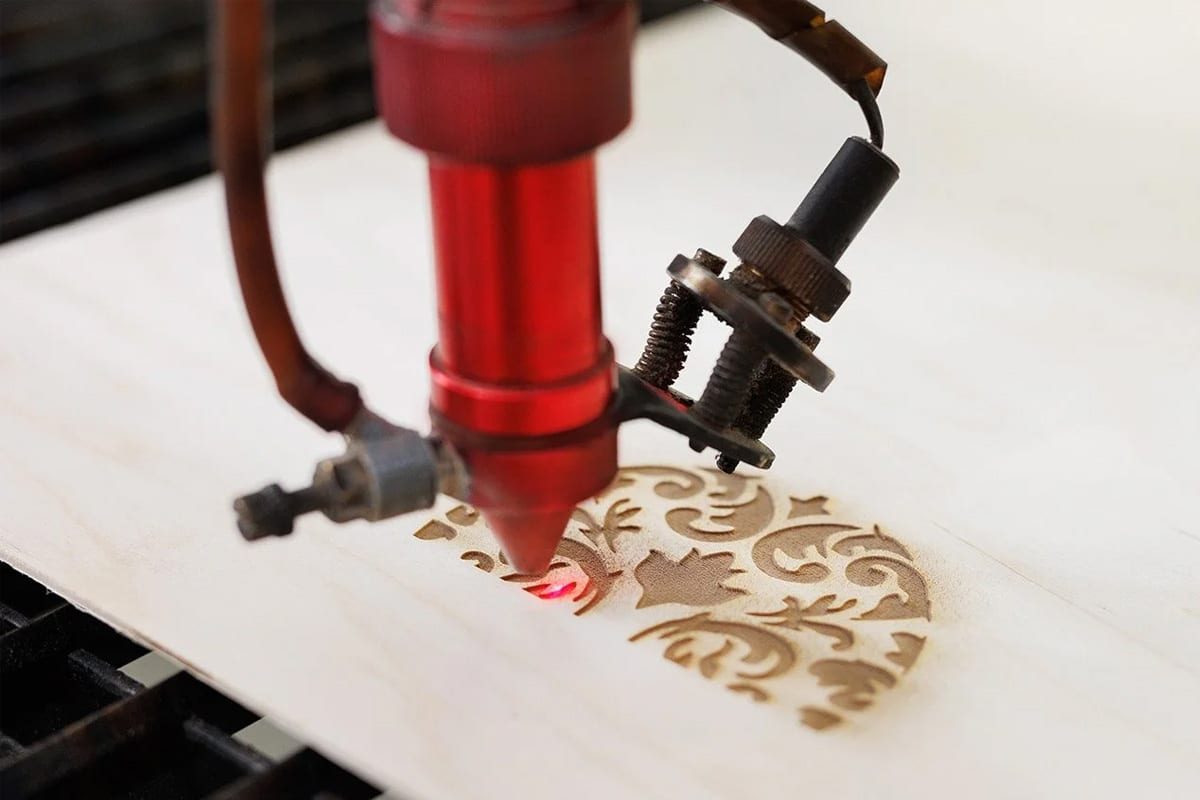
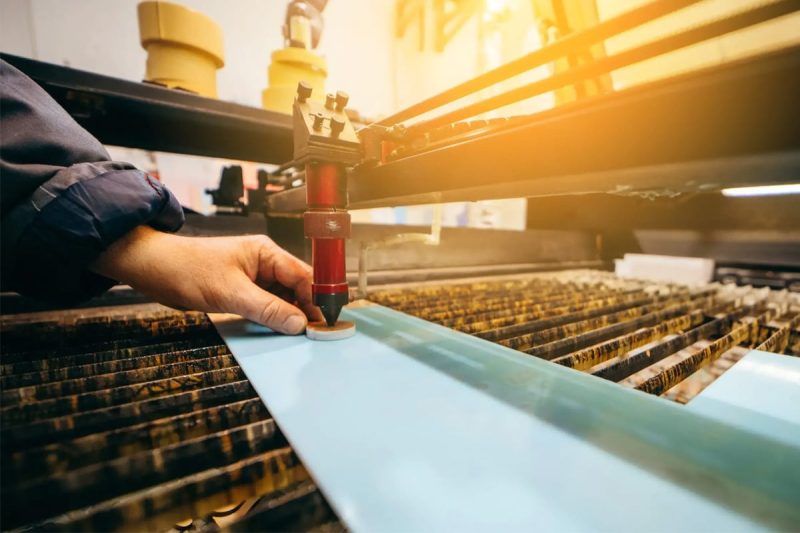
CO2 laser cutting machines use carbon dioxide gas as the laser medium, generating an infrared laser beam with a wavelength of approximately 10.6 micrometers. This wavelength has excellent absorption properties for non-metallic materials, giving CO2 lasers a natural advantage when processing materials such as Holz, Acryl, leather, fabrics, paper, MDF, and rubber.
Im Vergleich zu Faserlaser-Schneidemaschinen, CO2 lasers are more competitive in cutting non-metallic materials and are also more affordable. However, if you primarily need to cut metals, especially thick steel plates, fiber lasers may be a better choice—we’ll discuss this in more detail later.
According to market data, in 2024, there were over 132,800 CO2 laser cutting machines installed and in use globally, with a market size of approximately $1.7 billion. This market is projected to grow to approximately $2.587 billion by 2033. The Asia-Pacific region accounts for 49% of global installations, making it the largest market. These figures illustrate one thing: the market is mature, with a wide selection of products and fierce competition, which is actually a good thing for buyers.
Cutting Speed – Efficiency Directly Affects Output
Many people’s first question when buying a machine is, “How fast can this machine run?” Cutting speed is indeed important because it directly determines how many orders you can complete each day.
CO2 laser cutting machine speeds are usually expressed in mm/s or m/min. Entry-level machines have cutting speeds of approximately 300-500 mm/s, while high-end industrial models can reach 1000 mm/s or even higher.
However, there’s an easily overlooked detail: the nominal speed and the actual effective cutting speed are not the same thing. The machine’s speed will significantly decrease when cutting complex paths or frequently changing direction. Therefore, you need to focus on the actual production speed, not the peak parameters advertised.
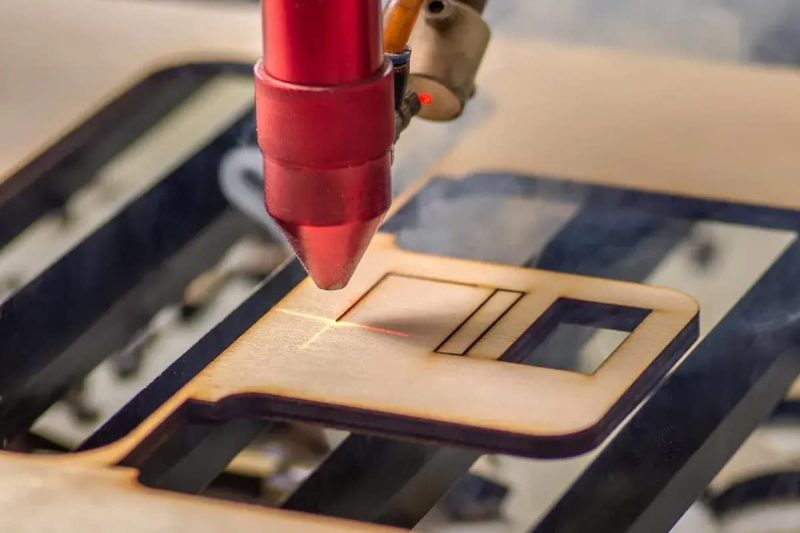
Another factor affecting speed is material thickness. The speed difference between cutting 5mm acrylic and cutting 20mm acrylic can be several times. Higher power allows for faster cutting on the same material or the ability to cut thicker materials.
If your business primarily involves mass production and has high-speed requirements, you should focus on the following:
- Does the machine support a high-speed mode?
- Does the motion system use linear guides? This directly affects accuracy and stability.
- Does it have a multi-head design for parallel cutting?
Laser Power – More Power Isn't Always Better
Laser power is the most frequently asked parameter when purchasing a CO2 laser cutting machine, measured in watts (W). Common power ranges are 40W to 500W, while industrial-grade equipment starts at 1000W and can reach 6000W or even higher.
Higher power means thicker materials can be cut, and faster speeds are possible. However, higher power also means more expensive equipment, higher electricity bills, and more demanding cooling systems. Therefore, higher power isn’t always better; the key is to match your actual needs.
What scenarios are different power levels suitable for?
- 40W-80W: Suitable for thin materials, such as paper, thin leather, acrylic, or wood up to 3mm thick. Equipment in this power range is relatively affordable, suitable for hobbyists, workshops, or educational use.
- 80W-150W: This is the mainstream choice for small businesses and studios. It can stably cut 5-10mm thick acrylic and wood, balancing efficiency and cost, offering the best value for money.
- 150W-300W: Suitable for commercial users who need to cut thicker materials, such as 15-20mm plywood or acrylic. Faster speed, suitable for medium-scale batch production.
- 300W and above: Industrial applications, large manufacturing enterprises, or scenarios with extremely high cutting efficiency requirements.
One parameter that is often overlooked is power stability. Some laser tubes experience power decay after prolonged operation, resulting in unstable output and inconsistent cutting quality. When purchasing, pay attention to whether the laser tube has guaranteed power stability and its rated lifespan in hours.
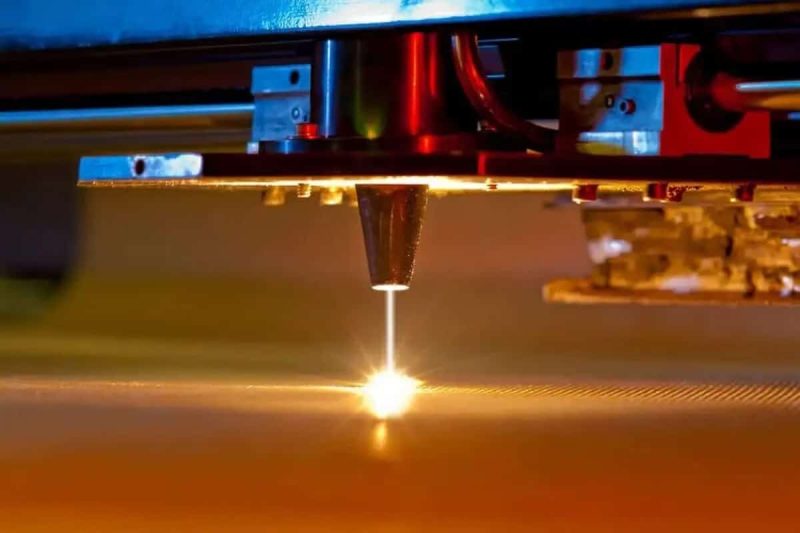
Laser Source – Glass Tube or RF Tube?
When discussing CO2 laser cutting machines, the choice of laser source is often overlooked by many buyers, but it is actually one of the core factors affecting the long-term operating costs and performance of the equipment.
CO2 laser sources are mainly divided into two types: glass laser tubes and radio frequency (RF) laser tubes.
Glass laser tubes are the most common choice and are used in most low- to mid-priced machines. Their advantages are low price and low replacement costs. The disadvantages are a relatively limited lifespan, typically between 2000 and 8000 hours, and beam quality that is not as good as RF tubes, resulting in slightly lower cutting precision. For users with limited budgets and low usage frequency, glass tubes are a reasonable choice.
RF laser tubes represent the high-end approach. They offer better beam quality, higher pulse frequencies, and a lifespan exceeding 20,000 hours. They also support rapid switching, making them suitable for applications requiring fine engraving or cutting. However, they are more expensive, and replacement costs are also higher. If you require high precision or the equipment needs to operate at high intensity for extended periods, an RF tube is a worthwhile investment.
Market trends show that mid-to-high-end industrial CO2 laser cutting machines are increasingly adopting radio frequency (RF) tubes to meet higher requirements for precision and stability. If your budget allows, this is a configuration worth considering.
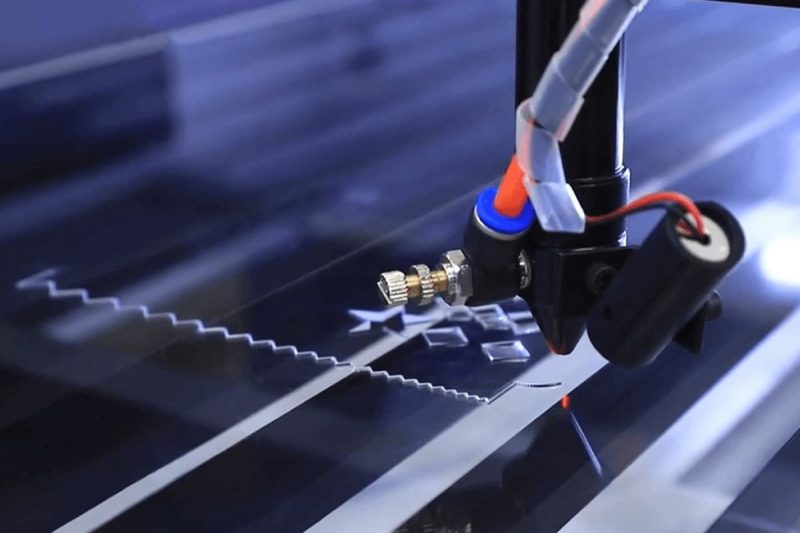
Cutting Area – Workbench Size Determines Your Capabilities
The cutting area is the maximum surface area a machine can process, usually expressed as length x width, such as 600x400mm, 900x600mm, 1300x900mm, 1300x2500mm, etc.
Parameterauswahl
The logic is simple: the size of your material and your product determines the minimum size your workbench should be.
However, there are a few details to note:
- Don’t just look at the nominal size; look at the effective cutting size: The machine’s frame size, guide rail travel, and actual effective cutting range are three different concepts. Some manufacturers will use the maximum travel value, while the actual effective area may be smaller. When inquiring with the supplier, explicitly request data on the effective cutting range.
- Consider future scalability: If you currently mainly produce small-sized products but may take on larger orders in the future, it’s wise to allow for some margin. Replacing with a larger machine is much more expensive than buying a machine that meets future needs.
- The configuration of the worktable is also important: A standard honeycomb worktable is suitable for most scenarios; a motorized up-down table allows for easy focus adjustment and is suitable for cutting materials of different thicknesses; a conveyor table is suitable for handling roll materials or assembly line production.
Common format sizes and applicable scenarios:
- 600x400mm: Desktop size, suitable for small studios and individual creations
- 900x600mm: Medium size, suitable for small businesses’ daily production
- 1300x900mm: Mainstream commercial size, suitable for most medium-sized factories
- 1300x2500mm and above: Large format industrial size, suitable for advertising, furniture, building materials, and other industries.
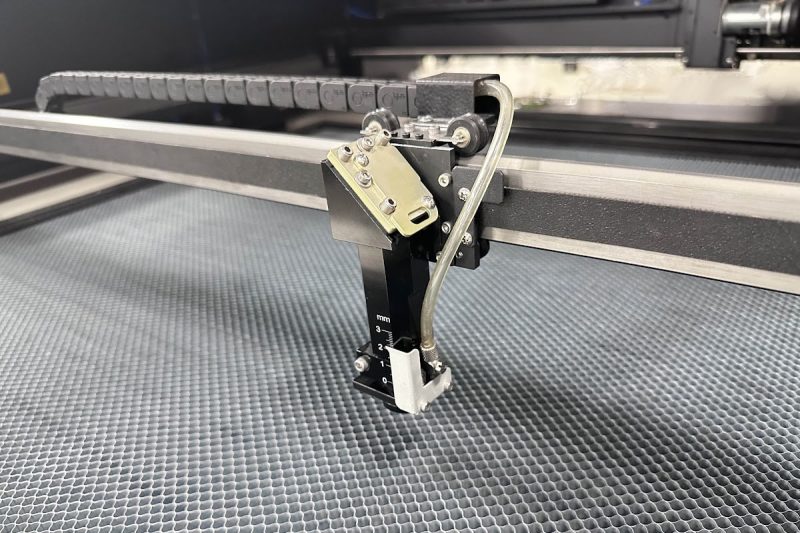
Precision and Accuracy – How Much Error Can Your Product Tolerate?
One of the biggest selling points of laser cutting is its high precision, but the precision levels vary considerably between different machines.
Precision is typically measured by the following indicators:
- Positioning Accuracy: The accuracy with which the machine can move to a designated position, usually between ±0.05mm and ±0.1mm. High-end equipment can achieve ±0.02mm or even smaller.
- Repeatability: Consistency in returning to the same position multiple times. This is particularly important for mass production, as you need every product to maintain consistent dimensions.
- Kerf Width: The width of the kerf left after laser cutting, typically between 0.1 and 0.3mm. A smaller kerf results in higher material utilization and better splicing accuracy.
- Many factors affect precision: the focusing quality of the laser beam, the precision and rigidity of the guide rails, the algorithm of the control system, and the mechanical structural stability of the machine itself. High precision usually means a higher price, so you need to choose the appropriate configuration based on the actual precision requirements of your product, avoiding paying for unnecessary precision.
If you’re making precision parts, electronic components, or medical equipment, the precision requirements are generally high, making the investment worthwhile. If you’re simply cutting decorative wood panels or acrylic, the precision requirements are less stringent, and mainstream equipment can meet them.
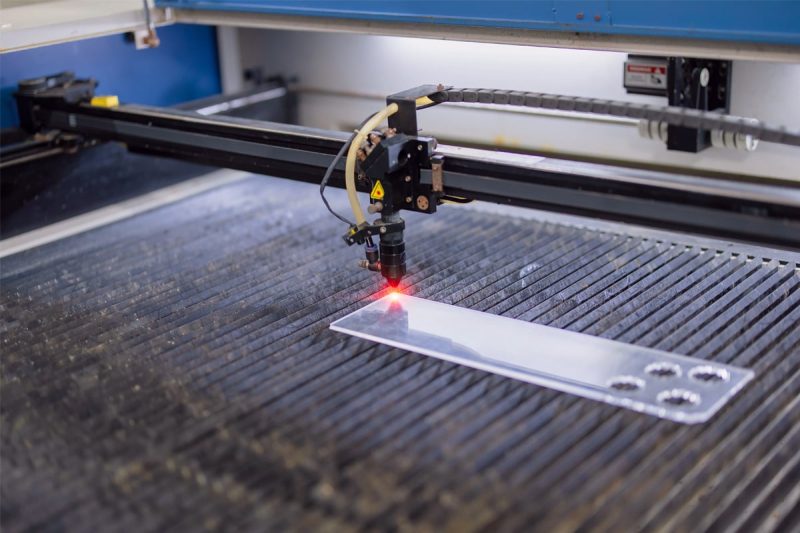
Software Compatibility – Good Software Makes All the Difference
No matter how good the hardware of a laser cutting machine is, if the accompanying software is difficult to use, it will seriously affect work efficiency. Software compatibility is often overlooked by buyers, but it is one of the most influential factors in actual use.
Steuerungssoftware
The main control software used in CO2 laser cutting machines includes:
- RDWorks (Ruida): The most widely used control software in China, used in conjunction with the Rundar control system. It has comprehensive functions, a user-friendly Chinese interface, and a gentle learning curve. Most mid-to-low-end machines come with it by default.
- LightBurn: A laser control software with a very good reputation among users worldwide in recent years. It has an intuitive interface, powerful functions, supports multiple file formats (AI, SVG, DXF, PDF, etc.), and has good compatibility. Many users choose certain brands of equipment specifically for LightBurn. If you plan to use LightBurn, you should confirm whether your machine supports it before purchasing.
- EzCad: Mainly used for fiber laser marking machines; relatively less used in CO2 machines.
Design Software Compatibility
What software do you usually use to design drawings? Can the machine directly import these formats? Common file formats include DXF (AutoCAD), AI (Adobe Illustrator), SVG, and CDR (CorelDRAW). Most mainstream devices support these formats, but it’s best to check before purchasing.
Network Connectivity and Remote Control
Some newer devices support WiFi or Ethernet connections, allowing direct file transfer from computers or tablets, and even remote monitoring. These features are very convenient when managing multiple devices or requiring remote operation.
Maintenance and Support – A Good Buy is One That Works Well
Laserschneidmaschinen aren’t something you can just buy and leave unattended. Routine maintenance and troubleshooting capabilities are a significant part of long-term operating costs.
Routine Maintenance Items
Routine maintenance of a CO2 laser cutting machine mainly includes:
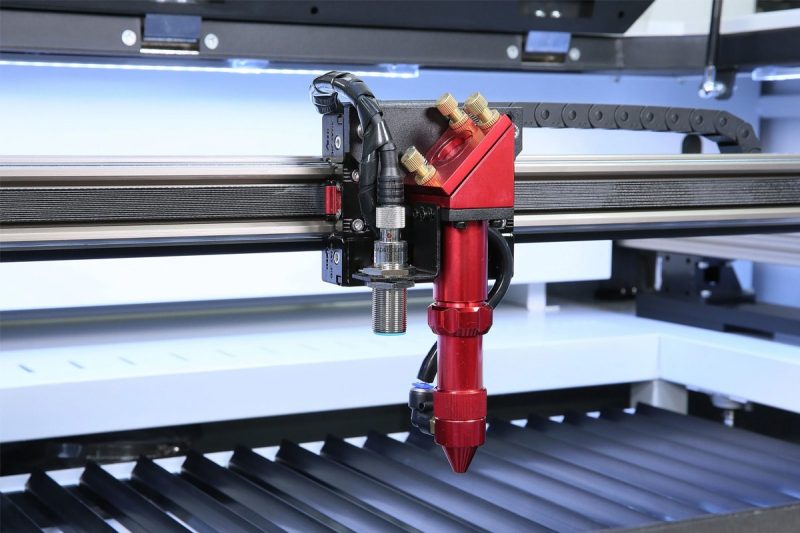
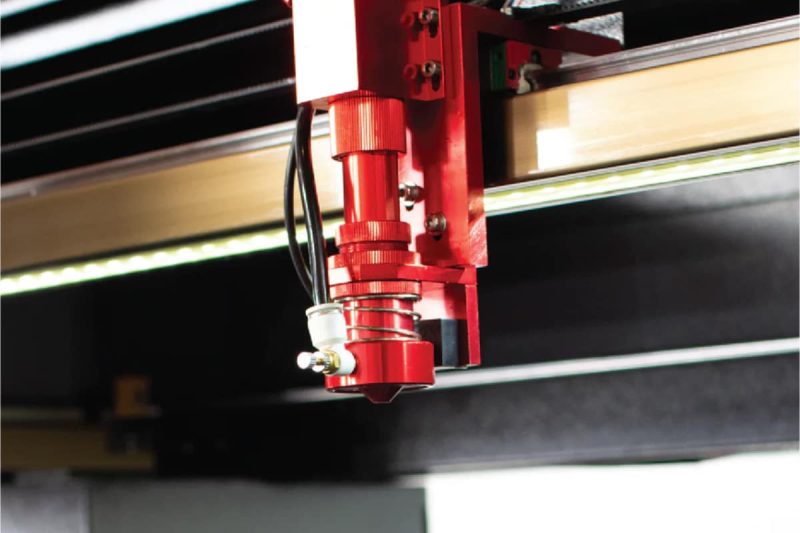
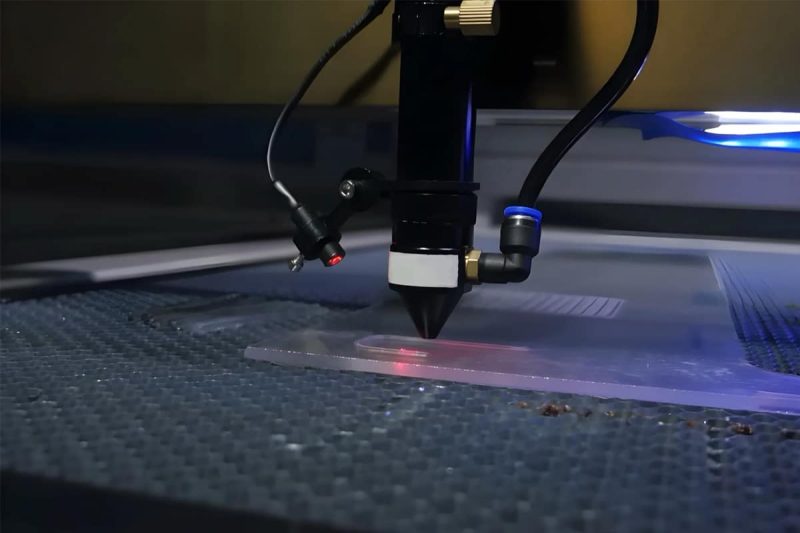
- Cleaning lenses and laser head (reflectors, focusing lenses): Dust and fumes reduce laser power and affect cutting quality.
- Checking the cooling water circulation system: The laser tube requires water cooling; water quality and temperature need to be checked regularly.
- Cleaning guide rails and transmission system: Lubrication and dust prevention.
- Calibrating the laser beam path: Ensuring the laser beam is perpendicular to the worktable to avoid cutting skew.
According to industry data, the average annual maintenance cost for each CO2 laser cutting machine, including lens replacement, gas replenishment, and adjustments, is approximately $1600, which is a considerable sum. Therefore, maintenance costs should be considered when purchasing a machine, as well as its design for ease of maintenance.
Spare Parts Availability
Laser tubes, lenses, lens frames, belts, and guide rails are all vulnerable parts that may require replacement. Before purchasing, confirm the availability and reasonable price of these spare parts. Spare parts from some well-known brands may be expensive, but they are easy to buy; for some equipment from smaller brands, spare parts may be impossible to find, or you may have to wait a long time.
Technische Unterstützung
When equipment malfunctions, can you get a quick response? This is a question many buyers only realize the importance of after purchasing the machine. When choosing a supplier, you should understand:
- Do they provide 24/7 online technical support?
- Are there video tutorials or detailed user manuals?
- Are there local repair service centers?
- What is the approximate response time when a problem occurs?
If you rely on this machine for daily production, even a day of downtime can mean significant losses, so the quality of technical support cannot be compromised.
Safety Features – Laser Cutting is Not a Toy
CO2 lasers emit high-power, invisible infrared radiation; direct or indirect exposure to the eyes can cause permanent damage. The fumes produced during cutting may also contain harmful substances. Safety features are a crucial factor that cannot be ignored when purchasing equipment.
Essential Safety Functions
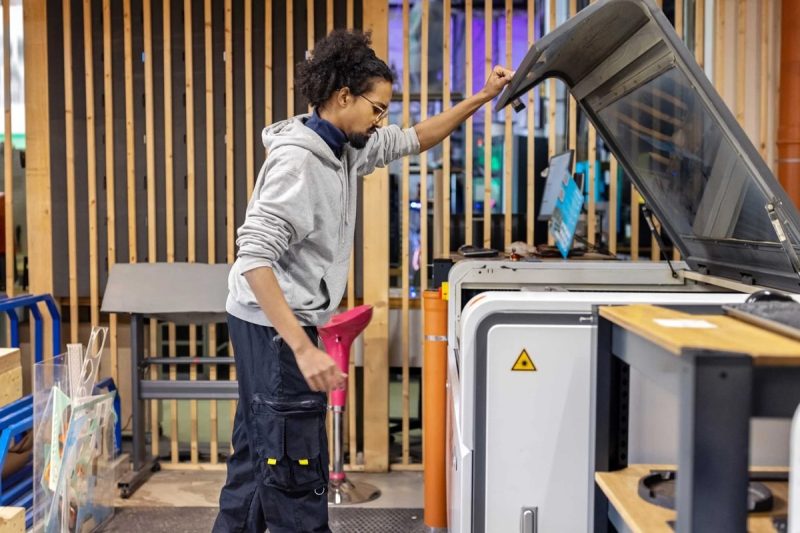
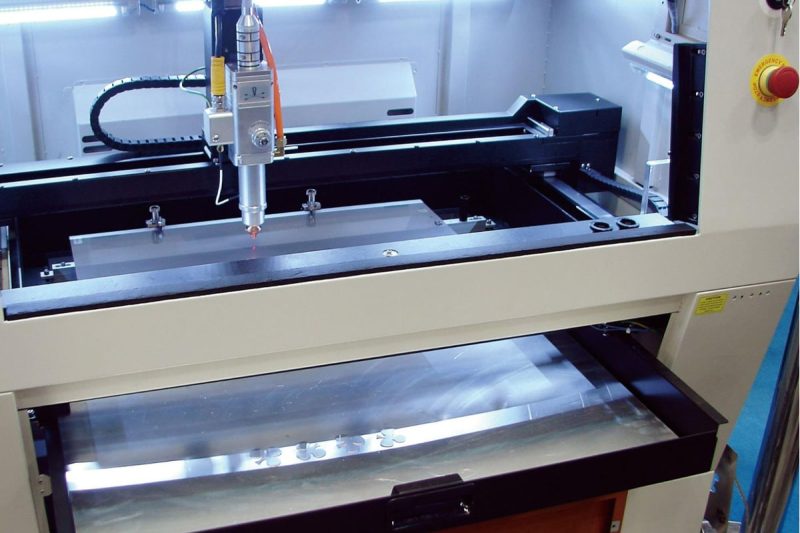
- Protective Housing and Interlocking System: High-quality commercial and industrial-grade equipment should have a fully enclosed housing that automatically stops the laser when the door is opened. This is the most basic safety guarantee.
- Fume Extraction System: Cutting generates fumes and harmful gases, necessitating the installation of exhaust fans and filters. Some equipment has built-in air filtration systems that can reduce particulate emissions by up to 80%. This is especially important in indoor environments, particularly in regions with stringent industrial emission standards such as Germany, South Korea, and California.
- Emergency Stop Button: An emergency stop button should be prominently displayed to immediately cut off power and the laser in case of an emergency.
- Water Temperature Protection: Automatic shutdown to protect the laser tube when the cooling water temperature is too high.
- Power Failure Protection: In the event of a sudden power outage, the current cutting progress is saved, and the process can resume from the point of interruption after power is restored, preventing material waste.
- Laser Safety Goggles: Even if the equipment has a protective casing, operators should wear safety goggles suitable for the CO2 laser wavelength (10.6μm). Some equipment comes with these goggles; otherwise, they must be purchased separately.
Certification Standards
For equipment exported to Europe and America, or for buyers in Europe and America, CE certification (EU) and FDA certification (US) are important safety compliance indicators. Equipment from reputable manufacturers generally has these certifications; you can request the relevant certificates when purchasing the equipment.
Cost and Budget – Calculating Total Cost of Ownership is Key to Avoiding Losses
Price is a core factor in purchasing decisions, but many people only look at the purchase price of equipment, neglecting the total cost of ownership.
Purchase Price
The price range for CO2 laser cutting machines is very wide:
- Desktop entry-level (40W-80W): $2,000-$8,000
- Mid-sized commercial (80W-150W): $8,000-$25,000
- Large commercial (150W-300W): $20,000-$60,000
- Industrial grade (300W and above): $50,000 to hundreds of thousands of dollars
Price differences stem from factors such as power, brand, laser tube type, control system, mechanical precision, and component quality. Cheap equipment isn’t necessarily bad, and expensive equipment isn’t necessarily suitable for you; the key is matching your needs.
Daily Operating Costs
Besides the cost of the machine, you also need to calculate these:
- Electricity Costs: Higher power consumes more electricity. The electricity cost for a 150W device running at full load for 8 hours a day needs to be calculated in advance.
- Cooling System: High-power equipment requires an industrial water chiller, which is an expense in itself and also consumes electricity.
- Gas Consumption: Some high-end models require auxiliary gases (such as nitrogen, oxygen, and air), which are an ongoing cost.
- Consumables and Spare Parts: Laser tubes, lenses, nozzles, etc., are all consumables, and their annual costs are not negligible.
- Maintenance Costs: As mentioned earlier, the average is approximately $1600 per year.
Return on Investment
A simple return on investment analysis is helpful before purchasing the equipment. Based on the monthly output value, subtract operating costs to roughly calculate how long it will take to recoup the investment. For commercial equipment, a 2-3 year payback period is a reasonable target.
User-friendliness – Operational Threshold Determines Team Training Costs
A powerful machine requiring specialized engineers to operate poses a significant problem for many small and medium-sized enterprises (SMEs). User-friendliness includes the user interface, ease of use, and level of automation.
Control Panel and Interface
Does the equipment have an intuitive touchscreen control panel? Are the menus clear? Is the operation process intuitive? These factors all affect the learning time and error rate for new employees. Some brands offer control software with complete Chinese or English interfaces, coupled with illustrated tutorials, allowing ordinary employees to learn basic operations within one or two days.
Automation Functions
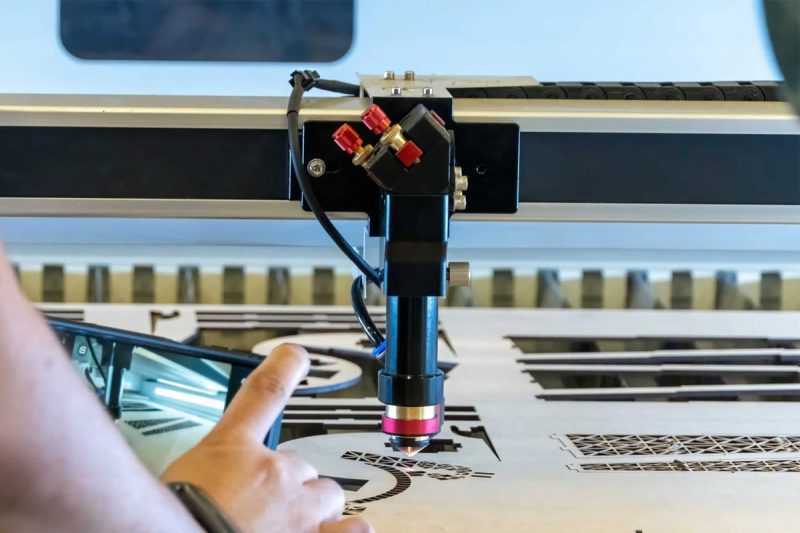
- Autofocus: Automatically adjusts the laser focus, eliminating the hassle of manual adjustment, especially convenient for switching between materials of different thicknesses.
- Camera Positioning (CCD camera/vision system): High-end equipment is equipped with a camera that can automatically identify positioning marks on the material, achieving precise registration cutting, particularly suitable for contour cutting of printed patterns.
- One-Click Parameter Preset: For frequently used materials, cutting parameters can be saved and directly recalled for future use, eliminating the need for readjustment each time.
File Management
Does the equipment support file transfer via USB flash drive or network? Is the device’s memory sufficient to store multiple job files? These small details can significantly affect the smoothness of the workflow in actual production.
Weitere zu berücksichtigende Faktoren
The ten points above are core selection dimensions, but several other factors deserve consideration when making a decision.
Markenreputation
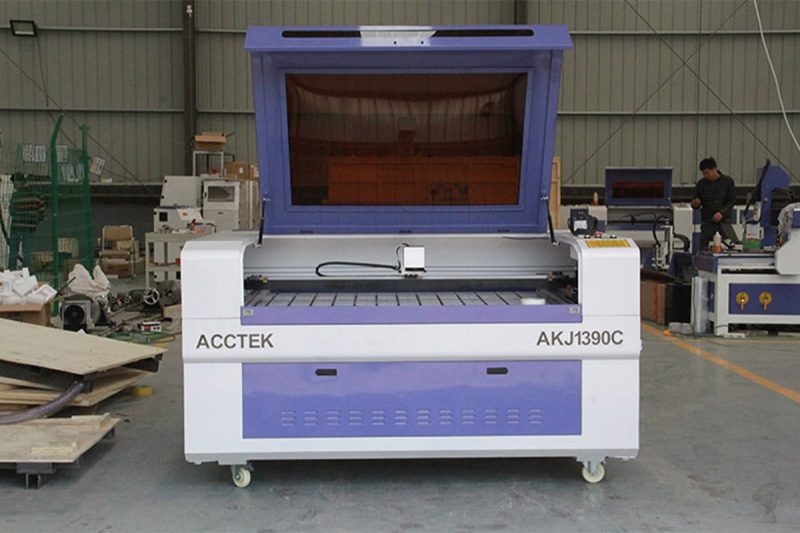
The laser cutting machine market is not lacking in brands. From top European brands like TRUMPF, Bystronic, and Trotec, to domestic brands like Han’s Laser and HGLaser, to specialized manufacturers targeting small and medium-sized users such as xTool, Glowforge, and STYLECNC, and even Accteklaser, each has its own niche.
Brand reputation is not the only criterion, but it is a valuable reference. A brand that has been operating in the market for many years, has a large number of genuine user reviews, and a complete after-sales system is obviously less risky than an unfamiliar manufacturer with no verifiable background.
Before purchasing, you can do the following:
- Search for real user feedback on independent review websites or forums (such as r/lasercutting on Reddit).
- Contact the brand to inquire if they have any reference customers to provide, and understand the equipment’s usage firsthand.
- Check if the brand has detailed product documentation, video tutorials, and an FAQ database, as this reflects their service capabilities.
Garantie und Kundendienst
Warranty policy is a crucial clause in the purchase contract, but it is often overlooked. Typical warranty terms include a 1-2 year warranty on the entire machine and a separate warranty for the laser tube (some only offer 6 months, others up to 2 years). Pay special attention to: Does the warranty cover the laser tube? Consumables (lenses, nozzles, etc.) are usually not covered under warranty, which is normal.
Several other questions are worth clarifying:
- If a problem occurs during the warranty period, will they send someone to your location for repair, or do you need to ship the equipment back?
- What is the supply cycle for spare parts?
- After the warranty period, will repair services and spare parts still be available?
Some suppliers offer extended warranties, providing a longer coverage period for an additional cost, which is worth considering for heavily used production equipment.
Future Expansion and Upgrades
Can the machines you buy today be upgraded as your business grows?
Consider this from several perspectives:
- Power Upgrades: Some models support replacing the laser tube with a higher power one, but not all equipment supports this; you need to confirm in advance.
- Workbench Expansion: Does it support adding a rotary axis for engraving on cylindrical materials? This is very useful for personalized gifts, customized wine bottles, etc.
- Software Upgrades: Is the control software continuously updated? Is the software company active? Choosing a continuously maintained software platform is much safer than using an outdated system that has stopped being updated.
- Network and Automation Expansion: With the development of smart manufacturing, the ability to connect to MES systems and ERP to achieve production data connectivity is also something that medium and large-sized enterprises need to consider.
CO2 Laser vs. Fiber Laser: Clarifying a Common Question
Many buyers, when choosing a CO2 laser cutting machine, also struggle with whether to consider a fiber laser. Here’s a brief overview of the core differences between the two:
CO2 Laser is suitable for:
- Non-metallic materials: wood, acrylic, leather, fabric, paper, rubber, glass
- Processing scenarios where non-metals have a natural advantage
- Small and medium-sized enterprises with relatively limited budgets
Fiber Laser is suitable for:
- Metallic materials: stainless steel, aluminum, carbon steel, copper, etc.
- Industrial applications requiring high-speed metal cutting
- Scenarios with high energy efficiency requirements (fiber lasers consume approximately 18% less power than CO2)
If your core business is cutting non-metallic materials, CO2 is the preferred choice. If you need to cut metals thicker than 12mm, fiber lasers are significantly more competitive. If both materials need to be processed, some manufacturers offer hybrid solutions, or you can consider configuring two different types of equipment.
According to market data, in 2024, more than 61,000 manufacturers worldwide switched from CO2 lasers to fiber lasers for metal cutting, a trend particularly pronounced in the high-power metal-cutting segment. However, CO2’s position in the non-metallic sector remains stable and has not been substantially impacted.
Purchase Recommendations for Different User Groups
Finally, specific recommendations are provided for different types of users.
Individual Enthusiasts and Makers
- Priorities: Ease of operation, LightBurn compatibility, enclosed protection (good security), active community support
- Recommended power range: 40W-80W
- Reference equipment type: Desktop enclosed CO2 laser cutter
- Budget estimate: $2000-$6000
Small Startups and Studios
- Priorities: Cost-effectiveness, stability, fast technical support response, availability of spare parts
- Recommended power range: 80W-150W
- Reference worktable size: 900x600mm or 1300x900mm
- Budget estimate: $8000-$20000
Medium-sized Manufacturing Enterprises
- Priorities: Capacity efficiency, accuracy and stability, maintenance costs, compatibility with existing production systems
- Recommended power range: 150W-300W
- Reference worktable size: 1300x900mm or larger Budget Reference: $20,000-$60,000
Large Industrial Customers
- Priorities: Automation level, total lifecycle cost, brand service capabilities, customization capabilities
- Recommended power range: 300W and above, or consider fiber lasers
- It is recommended to customize solutions through the manufacturer or regional distributor.
Zusammenfassung
Choosing a CO2 laser cutting machine shouldn’t be based solely on price or power. To truly understand its capabilities, you need to consider ten dimensions: cutting speed, laser power, laser source type, worktable size, precision requirements, software compatibility, maintenance costs, safety features, total budget, and operational complexity.
Furthermore, brand reputation, warranty policy, and future expansion capabilities are often crucial factors in making the final decision after determining the basic technical parameters. There is no “perfect” laser cutting machine on the market, only the one that best suits your current needs and budget. Taking the time to conduct a thorough needs analysis, asking questions of suppliers, and requesting to see actual cutting samples whenever possible will minimize the risk of making a mistake.
If you have specific application scenarios or purchasing questions, please feel free to contact AccTek-Laser. We are happy to provide more targeted advice based on your specific situation.

Kontaktinformationen
- [email protected]
- [email protected]
- +86-19963414011
- Nr. 3 Zone A, Industriegebiet Lunzhen, Stadt Yucheng, Provinz Shandong.
Holen Sie sich Laserlösungen